
Choosing the right platform can feel overwhelming with so many options out there. Each tool offers unique features, pricing, and ways to connect with your audience. Some focus on customization while others prioritize simplicity or powerful integrations. Want to know which solution stands out and which one fits your needs best? Keep reading to discover what sets these alternatives apart and find out which choice could be the surprise winner for you.
Table of Contents
Discors

At a Glance
Discors presents a focused, discussion-first environment built to give founders and developers a safer place to converse and collaborate. It combines approachable sign up with privacy-first controls so you can join conversations without noise or clutter.
Core Features
Discors centers on user profiles with avatars and a following system, plus support for multimedia sharing such as videos and bookmarks. The platform includes privacy settings, a help center, customer support, and a mobile app for iOS to stay connected on the go.
Pros
-
User-friendly sign-up: Signing up with Google or Apple removes friction so teams and founders onboard quickly and securely.
-
Mobile access: A dedicated mobile app for iOS provides accessibility for founders and remote developers who work outside traditional office hours.
-
Rich interaction features: The platform supports multimedia sharing and follower mechanics that encourage ongoing conversations and content discovery.
-
Support resources available: Help, policy pages, and customer support are visible, helping community managers resolve issues fast.
-
Privacy emphasis: Discors prioritizes privacy and security which attracts users who need controlled, community-focused conversations.
Who It’s For
Discors targets founders, developers, and entrepreneurs in Africa and the African Diaspora who need a moderated space for networking, product feedback, recruiting, or collaboration. It fits builders who want focused conversations rather than broad social noise.
Unique Value Proposition
Discors positions itself as a real-time social discussion platform tailored for technical and startup communities, which makes it superior for professional exchanges compared with general social apps. Its combination of privacy controls, simple sign-up via Google or Apple, and built-in support resources reduces setup friction while protecting member conversations. For sophisticated buyers, that means predictable moderation, clearer community boundaries, and a platform designed to surface relevant discussions about technology, startups, and opportunities. Those features lower moderation overhead and speed up discovery of collaborators, hires, and early adopters.
Real World Use Case
A founder launches a private community to gather feedback on a beta product and invites developers, mentors, and early customers. Members share video demos, bookmark resources, and follow threads; the founder uses privacy controls to moderate access and the iOS app to respond during investor meetings.
Pricing
Pricing is not specified on the homepage, so you will need to contact support or sign up to view plans and any enterprise options.
Website: https://www.discors.chat/
Disqus
At a Glance
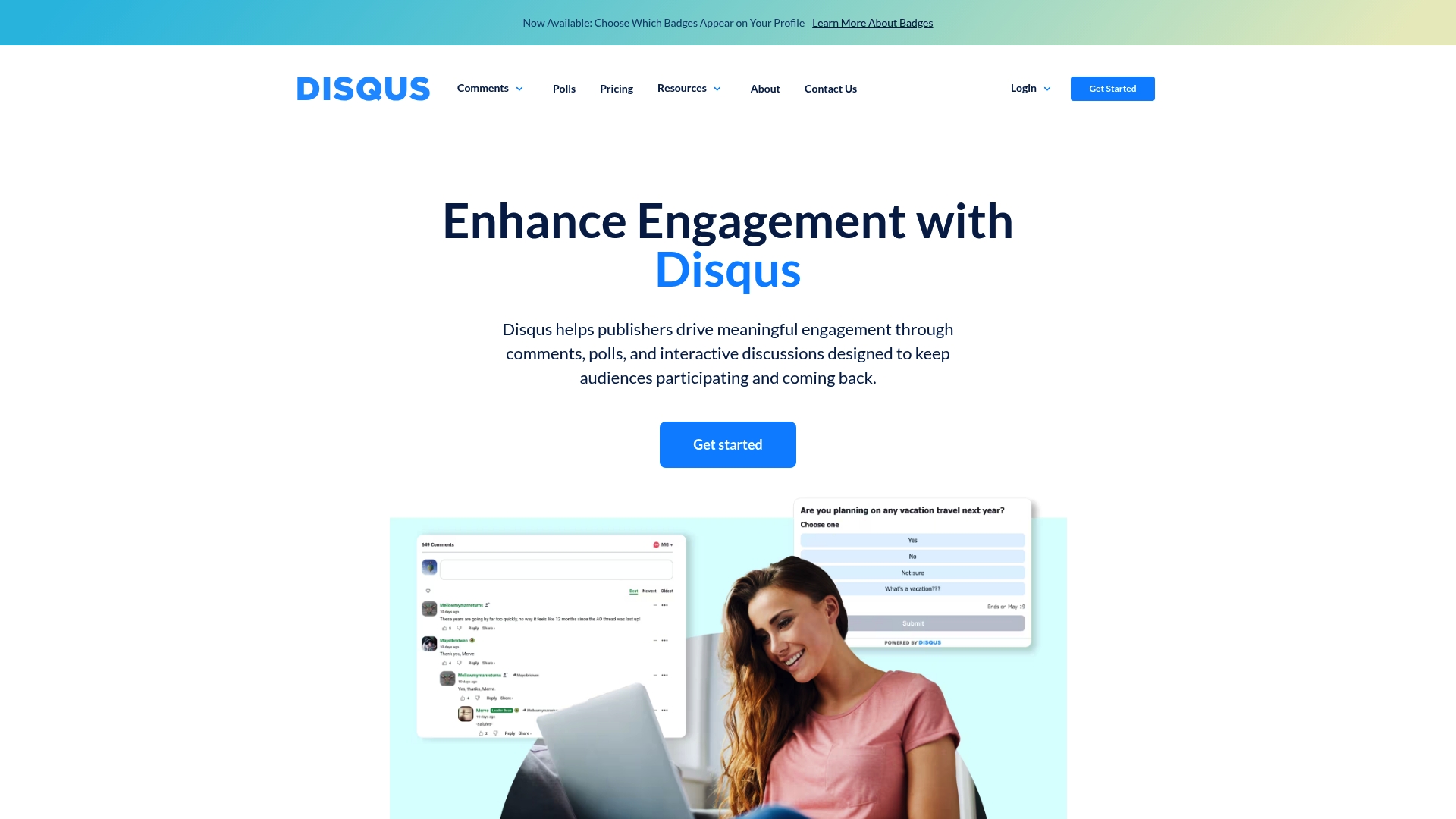
Disqus is an audience engagement platform built around a comments platform that helps publishers drive participation and manage conversations at scale. It combines community features, moderation, and advertising tools to turn reader interaction into measurable engagement and revenue.
Core Features
Disqus offers moderation tools and safety controls, audience engagement features such as polls, built in analytics and monetization capabilities, and customizable community badges and profiles. Publishers get a single system for comments management, moderation workflow, performance data, and ad formats.
Pros
-
Large user base and wide adoption: A broad network makes it easier for publishers to reach existing communities and increase comment volume on posts.
-
Comprehensive moderation and safety tools: Moderation features and safety controls help teams manage spam and abuse and maintain healthier discussions.
-
Flexible plans for different publisher sizes: Plan tiers allow small blogs and large media sites to choose options that match traffic and feature needs.
-
Built-in analytics for performance tracking: Integrated insights let editors measure comment activity, engagement trends, and content resonance without separate tools.
-
Supports multiple revenue streams: Built in ad formats and monetization options allow publishers to generate income directly from audience conversations.
Cons
-
Pricing can be complex and scale dependent which makes budgeting harder for growing publishers.
-
Some users may find the interface or moderation tools complex which raises the training burden for small teams.
-
The ad supported free version may not be suitable for all publishers who require a fully white labeled experience.
Who It’s For
Disqus fits online publishers, media outlets, bloggers, and content creators who want to add a robust comment layer and monetize reader conversation. It suits teams that need scalable moderation and analytics rather than a bare bones comment widget.
Unique Value Proposition
Disqus combines a widely adopted community network with moderation and monetization in one package. For publishers who value audience signals and want to convert engagement into revenue, Disqus removes the need to stitch together separate tools.
Real World Use Case
A media company adds Disqus to enable reader comments, apply AI assisted moderation, and track which stories generate the most discussion. The same setup serves targeted advertisements inside comment areas to increase site revenue while preserving editorial control.
Pricing
Plans start at $18 per month for the Plus plan, $125 per month for the Pro plan, and enterprise Business plans use custom pricing based on scale and requirements.
Website: https://disqus.com/
Commento
At a Glance
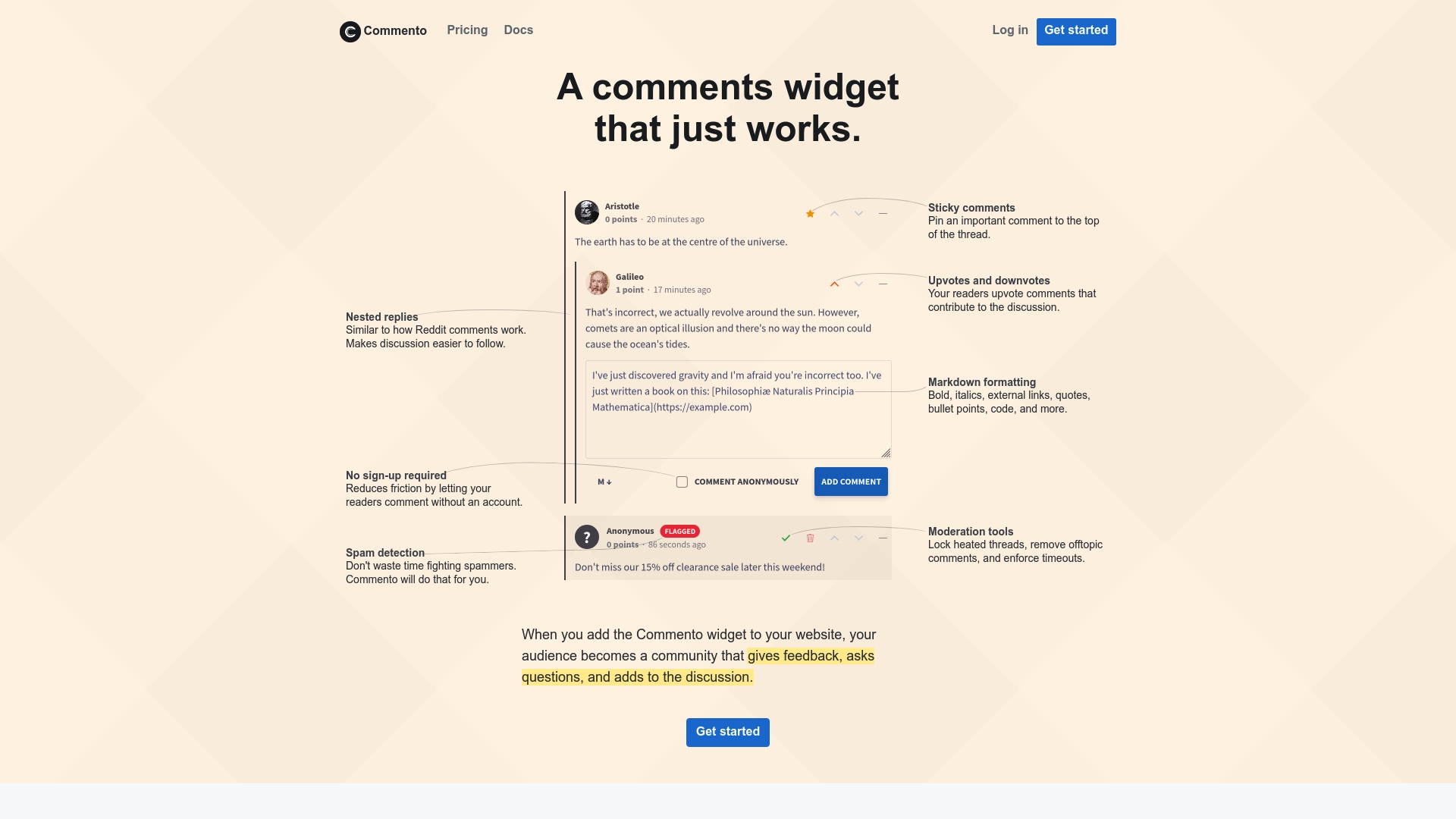
Commento is a privacy-focused commenting platform that trades feature bloat for a simple, lightweight experience. It fits sites that prioritize user data protection and straightforward moderation while accepting that publicly available feature details are limited.
Core Features
Commento centers on privacy-first commenting, offering moderation tools, basic customization options, and simple integration with websites. The design emphasizes lightweight performance and minimal overhead so comments load quickly without heavy client resources.
Pros
-
Respects user privacy: Commento avoids tracking users and stores minimal data to protect reader anonymity and compliance needs.
-
Easy to integrate and customize: Developers can add comments to pages with straightforward setup and adjust layouts to match site styling.
-
Provides moderation features: Built-in moderation tools let site maintainers approve, remove, or flag comments to keep discussions civil.
-
Lightweight and fast performance: The simple code footprint reduces load time impact compared with larger, script-heavy systems.
Cons
-
Limited public feature information: The product description notes access restrictions, which means detailed capabilities and integrations are not fully documented in the provided data.
-
Potentially less feature-rich: Commento may lack advanced community management, analytics, or deep third-party integrations that larger platforms provide.
-
Pricing details not available: Pricing information is absent from the source data, so you must visit the official site for current plans and rates.
Who It’s For
Website owners and developers who place a high priority on user privacy and site performance will find Commento attractive. Small blogs, documentation sites, and niche community pages that want a distraction-free comment section will benefit most.
Unique Value Proposition
Commento’s core distinction is its focus on minimalism and privacy rather than an extensive feature list. For teams that value lightweight code, straightforward moderation, and avoiding user tracking, Commento delivers a compact, respectful commenting option.
Real World Use Case
A small blog replaces a heavyweight commenting provider with Commento to reduce script size and remove third-party tracking. The site retains threaded discussion and moderation controls while improving page speed and privacy assurances for readers.
Pricing
Pricing information is not available in the provided data. Visit the official site to review current plans, self-hosting options, or hosted tiers and to confirm any trial periods or enterprise offers.
Website: https://commento.io
Hyvor Talk

At a Glance
Hyvor Talk is a privacy focused comments and engagement platform that balances ease of use with developer flexibility. It works well for sites that need moderation, membership gating, and scalable comment infrastructure without exposing user data.
Core Features
Hyvor Talk combines comments, reactions, ratings, and membership features with easy installation via embed code and themeable appearance. The platform also offers moderation tools and developer APIs to support custom workflows and large traffic volumes.
-
Comments, reactions, and ratings for article level engagement
-
Memberships and gated content to control access and subscriptions
-
Developer APIs, webhooks, and integrations for custom setups
Pros
-
Easy setup and integration makes embedding Hyvor Talk into WordPress, Ghost, Shopify, Webflow, Wix, or custom sites straightforward and fast.
-
Strong focus on privacy and GDPR compliance protects user data and gives you export options for data ownership and portability.
-
Highly customizable and extendable appearance and behavior through CSS, themes, and developer APIs allows brand matching and deep platform control.
-
Supports memberships and gated content which helps creators and publishers monetize or restrict access to community discussions.
-
Offers developer tools and API access including Console API and Data API so teams can build integrations and automate moderation.
-
Scalable for large sites with millions of users, so growth does not force an immediate platform migration.
Cons
-
Pricing based on monthly credits may be complex to understand at first and requires planning to avoid unexpected costs.
-
Some advanced capabilities are available only on higher tier plans or require custom enterprise arrangements which raises the cost for larger teams.
-
Limited details in the provided data about fine grained moderation rules customization may mean extra work for teams that need bespoke policy enforcement.
Who It’s For
Hyvor Talk fits website owners, bloggers, and developers who want a privacy focused engagement layer that scales from small blogs to enterprise publishers. It is particularly relevant for founders and developer teams that value control over data and integration flexibility.
Unique Value Proposition
Hyvor Talk pairs strong privacy and moderation features with developer friendly APIs and wide CMS support. That combination makes it a solid choice when you need a branded comment experience and the ability to grow without changing platforms.
Real World Use Case
A news website integrates Hyvor Talk to enable comments, reactions, and ratings on articles while customizing the widget to match branding and managing moderation centrally to reduce spam and maintain discussion quality.
Pricing
Pricing is based on monthly credits with the premium plan starting at €12 per month, the business plan at €40 per month, and custom enterprise pricing available for large or specialized deployments.
Website: https://talk.hyvor.com
Thrive Suite
At a Glance
Thrive Suite is an all-in-one WordPress toolkit built to help entrepreneurs build websites, landing pages, and sales funnels with conversion-focused tools. It combines visual builders, lead generation, and A/B testing into one integrated package for faster deployment and measurable optimization.
Core Features
Thrive Suite bundles more than ten conversion tools including Thrive Theme Builder, Thrive Architect, Thrive Leads, Thrive Quiz Builder, and Thrive Apprentice to cover site building, lead capture, and course delivery.
-
Rapid implementation designed for quick setup and deployment
-
Built-in A/B split testing and templates for faster customization
-
Access to Thrive University for training and support
Pros
-
Comprehensive all-in-one solution: It reduces the need for multiple plugins by grouping page building, lead capture, and optimization tools into a single suite.
-
User-friendly drag-and-drop builders: The visual editors and templates let nontechnical users assemble pages and funnels without custom code.
-
Strong conversion focus: Built-in tools for landing pages, quizzes, and scarcity campaigns target measurable increases in leads and sales.
-
Extensive tutorials and support: Thrive University and documentation help teams learn features and implement best practices quickly.
-
Affordable for the feature set: Pricing positions the suite as a cost effective alternative to buying several premium plugins separately.
Cons
-
Requires WordPress.org hosting: Thrive Suite does not work on WordPress.com, so you must manage a self hosted WordPress installation.
-
Subscription based pricing model: The suite uses annual or quarterly subscriptions which may not fit one time purchase budgets.
-
Learning curve for full power: New users must invest time to master the full suite to get maximum conversion gains.
Who It’s For
Thrive Suite suits entrepreneurs, online marketers, coaches, consultants, course creators, and small agencies that run self hosted WordPress sites and prioritize conversion optimization. If you need a single toolkit to build sites, capture leads, and launch courses, this package fits well.
Unique Value Proposition
Thrive Suite’s main advantage is its focus on conversion driven features bundled under one roof so teams avoid stitching multiple plugins together. The combination of visual builders, lead tools, and testing tools creates a consistent workflow from page design to optimization.
Real World Use Case
A digital marketing agency uses Thrive Suite to build client landing pages, run A/B tests on headlines and forms, deploy scarcity campaigns with Thrive Ultimatum, and host course content with Thrive Apprentice to increase lead to customer conversion rates.
Pricing
Thrive Suite is available via annual or quarterly subscriptions with a 30 day money back guarantee. The yearly plan is $599 per year with introductory discounts sometimes applied, and the quarterly plan is $149 per quarter.
Website: https://thrivethemes.com
wpDiscuz
At a Glance
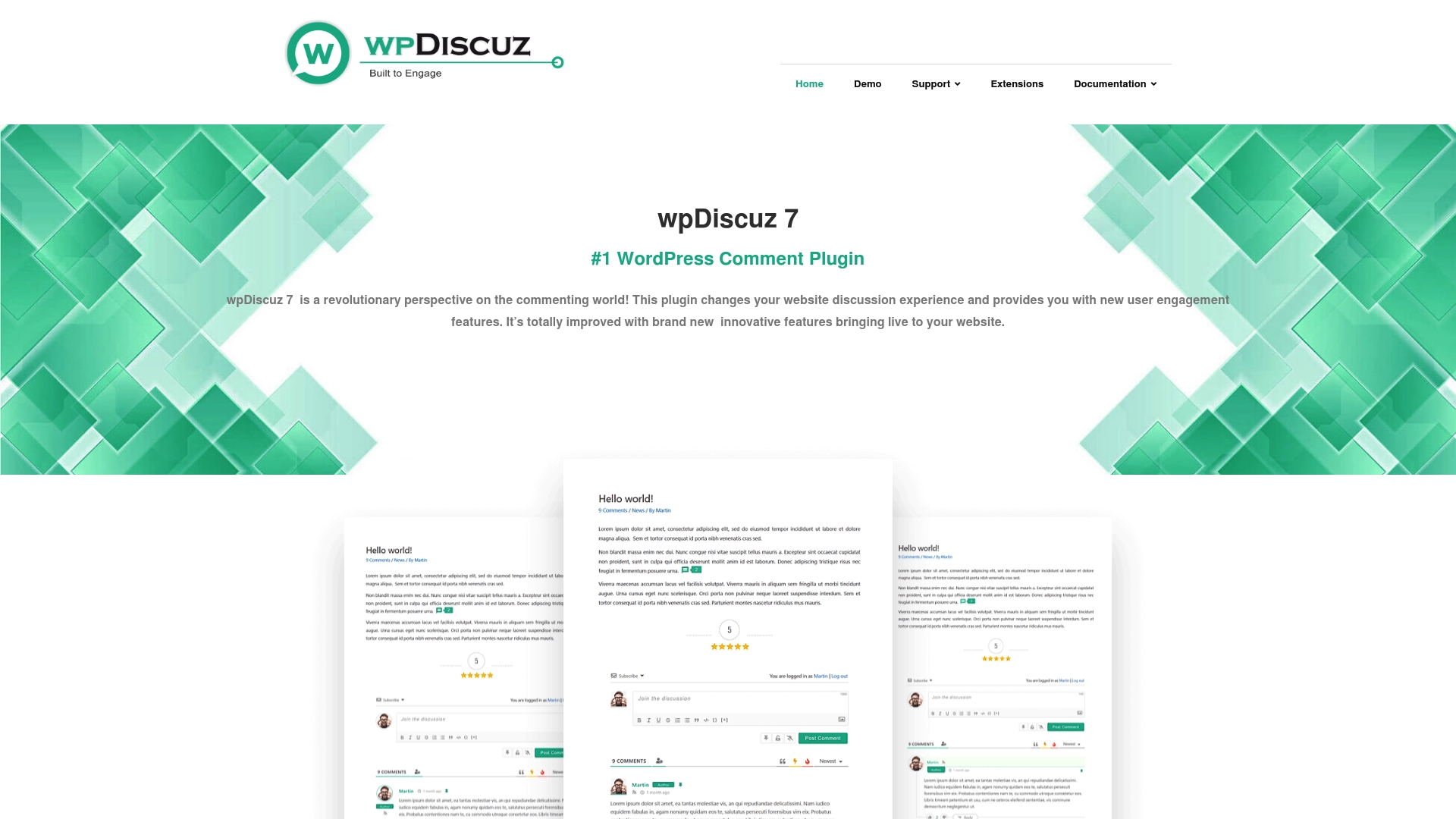
wpDiscuz 7 is a feature rich WordPress comment plugin that turns passive comment sections into active discussion hubs for blogs and product pages. It combines inline commenting and live notifications to increase reader interaction while remaining fast and SEO friendly.
Core Features
wpDiscuz offers multiple layouts for comments, inline feedback, and live comment notifications to keep conversations current and visible to returning visitors. The plugin also includes a rich editor with media upload, reCAPTCHA spam protection, comment statistics, social login, and API based real time updates.
Pros
-
Improves engagement: Inline comments and live notifications make it easier for readers to react and continue conversations in context.
-
Highly customizable: Multiple layouts and configurable comment forms let you match the look and behavior of your WordPress theme with fine control over settings.
-
Simplifies login: Social login options for Facebook, Twitter, Google, Disqus, WordPress.com, VK, and OK lower the barrier for participation and reduce anonymous noise.
-
Performs well on good hosting: The plugin is responsive and designed to be fast so readers experience minimal lag when posting or loading new comments.
-
Robust moderation tools: Comment statistics, likes, voting, subscriptions, and mentions provide moderators the data and controls needed to shape healthy discussions.
Cons
-
Requires technical knowledge for deep customization: Extensive template changes and API extensions often need a developer to avoid breaking styles or performance.
-
Feature set can overwhelm simple sites: Small blogs that only need basic comments may find the many options and add ons excessive and time consuming to configure.
-
Performance depends on hosting: Sites on limited shared hosting may see slower behavior when using many real time features or large media uploads.
Who It’s For
This plugin suits Website Owners and Developers who want a modern, configurable comment system that supports social logins, media in comments, and moderator analytics. It fits blogs, news sites, educational portals, and e commerce stores that need richer discussion features.
Unique Value Proposition
wpDiscuz stands out by combining real time updates with a flexible editor and a detailed comment statistics dashboard. The mix of inline feedback, social login, and extendable add ons makes it a single solution for sites serious about community interaction.
Real World Use Case
A popular tech blog used wpDiscuz to add inline comments on long form articles, enable social login, and display activity metrics to moderators. The result was higher repeat visits, more threaded replies, and clearer moderation actions from the editorial team.
Pricing
The base plugin is free with premium extensions available for purchase to add features like advanced moderation, additional integrations, and performance optimizations. Costs vary by extension and license type.
Website: https://wpdiscuz.com
Discussion and Engagement Platforms Comparison
This comprehensive table provides an overview of various platforms designed for site user interaction, their features, advantages, disadvantages, and pricing, assisting in selecting the best fit for your needs.
| Platform | Description | Advantages | Limitations | Pricing Details |
| Discors | Focused, secure discussion platform for developers and founders. | User-friendly sign-up, mobile app, privacy emphasis. | Pricing not specified, tailored for niches. | Contact for details. |
| Disqus | Audience engagement tool with monetization and moderation tools. | Large user base, performance analytics, multiple revenue streams. | UI complexity for small teams, ad-supported may not suit all. | From $18/month for Plus plan, Pro at $125/month, enterprise pricing available. |
| Commento | Lightweight, privacy-focused commenting system. | Respect for user privacy, integrable, fast. | Limited features, non-disclosed pricing. | Visit the website for details. |
| Hyvor Talk | Private engagement platform with API extensibility for developers. | GDPR compliance, scalable, membership capabilities. | Credit-based pricing, complex for large teams. | Starting €12/month for Premium, €40/month for Business, enterprise custom pricing. |
| Thrive Suite | All-in-one WordPress toolkit for conversion-optimized sites. | Comprehensive tools, user-friendly, optimized for conversion. | Dedicated WP.org hosting required, upfront learning curve. | Annually $599/year, Quarterly $149/quarter. |
| wpDiscuz | Feature-rich WordPress comment plugin with real-time updates and analytics. | Inline commenting, customizable layouts, useful for content engagement analytics. | Customization requires technical skills, resource-intensive. | Free with optional paid extensions. |
Discover a Safer, Discussion-First Alternative for Founders and Developers
Navigating the landscape of online discussion platforms like Disquss.com can be overwhelming when you need a space that values privacy, real-time engagement, and meaningful collaboration. If you are a founder, developer, or entrepreneur seeking a clutter-free environment to share ideas, get feedback, or build your professional network, it is crucial to find a platform designed specifically for these goals. Key pain points such as noisy social media feeds, complex moderation, and lack of authentic connection can hinder your progress.

Explore how Discors.chat offers a focused social discussion platform built for innovators who want to engage in conversations around technology, startups, and professional growth without distractions. With easy sign-ups via Google or Apple and privacy-first controls, Discors supports active participation and community safety. Don’t settle for broad social media noise when you can join a vibrant community designed for your needs. Visit Discors.chat homepage today and start building meaningful connections that amplify your projects and opportunities.
Frequently Asked Questions
What are the key features to consider in a Disqus alternative for 2026?
To find a suitable alternative to Disqus, consider features like user engagement tools, moderation capabilities, privacy controls, and customization options. Evaluate what you need for your community, such as multimedia sharing or membership controls, and compare those against available platforms.
How do I transition my community from Disqus to an alternative platform?
To transition smoothly, first make a backup of your existing comments if possible. Then, create an account on your chosen alternative, and inform your community about the change, setting a timeline for the switch, such as a few weeks, to allow for adaptation.
What types of projects benefit most from using a Disqus alternative?
Projects that focus on community interaction, such as blogs, forums, and educational sites, often benefit from a Disqus alternative. Assess your project’s need for features like user privacy or advanced moderation to choose the best fit for your goals.
How can I evaluate the moderation tools of Disqus alternatives?
Evaluate the moderation tools by looking for features like spam filters, comment approval systems, and user reporting capabilities. Test these features through trial versions or demos of different platforms, aiming to assess their effectiveness within a few days.
Are there any user privacy concerns with Disqus alternatives?
Many Disqus alternatives emphasize user privacy and data protection. Investigate each platform’s privacy policy and data handling practices before choosing, ensuring they align with your community’s privacy expectations to maintain trust.
How do community members typically respond to platforms that are alternatives to Disqus?
Community responses to Disqus alternatives can vary, but many users appreciate platforms that enhance engagement and privacy. Gather feedback from your audience after switching platforms, perhaps through a survey, to understand their experiences and preferences.