Most tech professionals have been there: you post a question in a group chat, share a link in a Slack channel, or kick off a thread online, and nothing happens. Silence. Maybe one or two low-effort replies. The conversation dies before it starts. The problem is rarely the topic. It is usually the setup. Effective tech discussions require a clear goal, a focused topic, and the right people in the right space. This guide walks you through every step, from laying the groundwork to scaling a thriving community, so your next discussion actually goes somewhere.
Table of Contents
- Understand the foundation of valuable tech discussions
- Choose the right platform and tools
- Build your core group and set the agenda
- Spark engagement and sustain dynamic conversation
- Refine, troubleshoot, and grow your discussion community
- Take your tech conversations further with Discors.Chat
- Frequently asked questions
Key Takeaways
| Point | Details |
|---|---|
| Set clear goals | Define your purpose and target outcome before starting discussions for better engagement. |
| Choose the right platform | Select tools that fit your group's needs and support moderation and safety. |
| Balance participation | Use thoughtful questions and active moderation to involve all members. |
| Iterate for growth | Regularly gather feedback and adjust your approach to grow a thriving tech community. |
Understand the foundation of valuable tech discussions
Every great tech discussion starts before anyone types a single word. The preparation phase is where most people skip steps, and that is exactly why so many conversations stall.
Start by asking one simple question: what do you want this discussion to achieve? The answer shapes everything else. Defining discussion goals upfront keeps the conversation on track and gives participants a reason to show up prepared. Without a goal, even smart people talk in circles.
A focused topic matters just as much. Broad topics like "the future of tech" generate vague responses. Narrow topics like "how our team can reduce API response time by 30%" generate real input. The more specific your topic, the more useful the conversation.
Here are the core elements every tech discussion needs before it begins:
- A clear goal: networking, learning, problem-solving, or collaboration
- A focused topic: specific enough to guide the conversation
- A defined outcome: what does success look like after the session?
- The right participants: people with relevant experience or stakes in the topic
- A format that fits: roundtable, open forum, structured Q&A, or live chat
Real-world examples help here. A startup team running a weekly code review needs a different setup than a group of founders sharing innovation ideas. A developer community exploring new frameworks has different needs than a product team doing a retrospective. Matching your format to your goal is what separates productive discussions from wasted time.
The professional community benefits of getting this right are significant. Better decisions, faster learning, stronger networks, and more meaningful collaboration all follow from discussions that are set up well.
Pro Tip: Write your discussion goal in one sentence before you invite anyone. If you cannot summarize it clearly, the conversation will not be clear either.
Choose the right platform and tools
Once your foundation is in place, your next step is choosing the right environment to bring your tech discussion to life. The platform you pick shapes the tone, pace, and quality of every exchange.
Different platforms serve different needs. Choosing wisely between Slack for teams and WhatsApp for mixed groups is a practical starting point, but there are more options worth considering.
| Platform | Best for | Moderation controls | Safety features |
|---|---|---|---|
| Slack | Internal teams, structured channels | Strong | Moderate |
| Discord | Developer communities, gaming adjacent | Moderate | Moderate |
| Mixed or informal groups | Limited | Basic | |
| Discors.Chat | Tech pros, founders, entrepreneurs | Strong | High |
| Open public forums | Community-driven | Variable |
For tools that support launching online discussions, the key factors are moderation controls, member management, and the ability to keep conversations focused. Public platforms like Reddit can generate reach but often lack the safety and signal-to-noise ratio that professional discussions need.
Here is what to look for when evaluating any platform:
- Moderation tools: can you remove disruptive members, pin key messages, or mute participants?
- Topic organization: can you separate discussions by subject or project?
- Real-time capability: does it support live back-and-forth, not just async threads?
- Privacy controls: can you limit who joins and what they see?
- Ease of access: can members join quickly without friction?
If you are comparing alternative discussion platforms for professional use, prioritize moderation and member controls over raw audience size. A smaller, well-moderated group consistently outperforms a large, noisy one.
For founders and developers specifically, the best discussion platforms for entrepreneurs combine real-time chat with community structure, so conversations can happen live and be referenced later.
Build your core group and set the agenda
With the platform and structure chosen, it is time to gather your talent and plan a smooth first session. Who you invite and how you structure the first meeting sets the tone for everything that follows.

Inviting 6 to 10 relevant professionals is the sweet spot for a first discussion. Fewer than six and the conversation can feel thin. More than ten and it becomes hard to give everyone a voice.
Here is a sample agenda for a first tech discussion session:
| Time | Activity |
|---|---|
| 0-5 min | Welcome and quick introductions |
| 5-10 min | State the goal and ground rules |
| 10-30 min | Open discussion with 3-4 prepared questions |
| 30-40 min | Breakout or deeper dive on one key point |
| 40-50 min | Wrap-up and action items |
| 50-60 min | Feedback and next session planning |
Diversity in your group matters. Mix seniority levels, specializations, and perspectives. A group of ten senior engineers with identical backgrounds will produce less interesting output than a group that includes a junior developer, a product manager, and a founder.
Here is a numbered approach to building your first session:
- Define the topic and goal before sending any invites
- Select participants based on relevance, not just availability
- Send a brief pre-read or context note 24 hours before
- Prepare 3 to 4 open-ended questions to guide the session
- Assign a moderator role, even in small groups
- Set a clear end time and stick to it
For live collaboration strategies that work in real-time settings, preparation is the difference between a session that flows and one that stalls.
Pro Tip: Send your open-ended questions to participants before the session. People who have had time to think give better answers, and the discussion moves faster.
Spark engagement and sustain dynamic conversation
Now that your group is assembled, the focus shifts to keeping discussions lively and constructive. Even well-prepared groups can lose momentum if the conversation is not actively guided.
The quality of your questions determines the quality of your discussion. Open-ended questions like "What challenge have you faced with this issue?" pull out real experience instead of yes or no answers. Follow-up questions like "Can you say more about that?" or "Has anyone else run into this?" keep the thread alive.
For developer communities, the Awkward Small Talk Pattern is a useful technique. It involves starting with a low-stakes, relatable observation before moving into the main topic. This lowers the barrier to participation and gets quieter members talking early.
"The best tech discussions feel less like meetings and more like conversations between people who actually care about the problem."
Here are practical engagement tactics that work:
- Start with a warm-up question that anyone can answer, not just experts
- Name people directly when you want their input: "What do you think about this approach?"
- Acknowledge good points briefly to reinforce participation
- Redirect tangents with a simple: "That is a great point, let us come back to it after we cover X"
- Use polls or quick votes to re-energize a slow thread
- Summarize progress every 15 to 20 minutes to keep the group oriented
For moderation strategies that build thriving communities, the moderator role is not about control. It is about creating space for everyone to contribute. Dominant voices need gentle redirection. Quiet members need a direct invitation.
Staying current on trending conversation topics for tech pros also helps. When your discussion connects to something people are already thinking about, engagement comes naturally.
Refine, troubleshoot, and grow your discussion community
Once your discussion group is running, continual improvement and troubleshooting will keep it vibrant and sustainable. The first few sessions are experiments. Treat them that way.
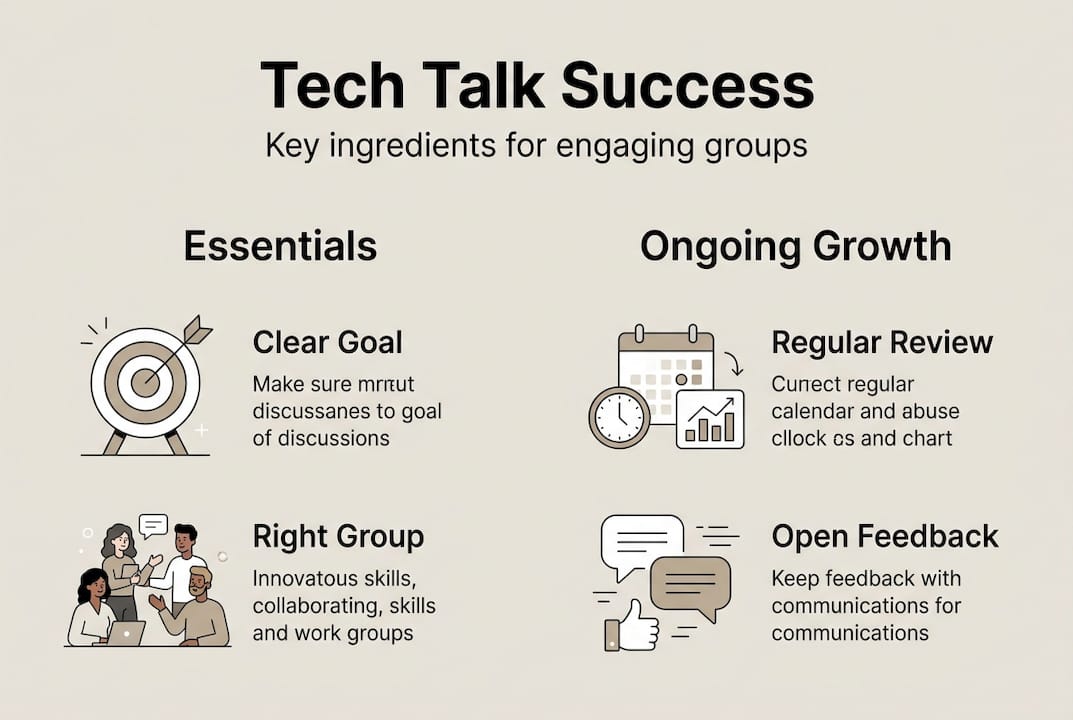
Gathering feedback does not need to be complicated. A three-question form after each session works well: What was useful? What was missing? What should we change? Act on the responses visibly so members know their input matters.
Modeling desired culture, like welcoming new members publicly and defining the group's purpose upfront, sets a standard that others follow. Culture is not declared. It is demonstrated.
Here is a numbered process for ongoing improvement:
- Collect feedback after every session using a short form or quick poll
- Review participation patterns: who is talking, who is not, and why
- Rotate the moderator role to bring fresh energy and perspective
- Introduce new topics based on what members are working on right now
- Archive key insights so the community builds institutional knowledge
- Adjust group size and structure as the community grows
Common roadblocks and how to fix them:
- Low attendance: shorten sessions, improve topic relevance, or change the time slot
- Dominant talkers: use moderator intervention to redirect and invite others
- Off-topic threads: create separate channels for side conversations
- Declining energy: bring in a guest speaker or introduce a new format
As your group scales, structure becomes more important. What works for ten people breaks down at fifty. Follow 2026 discussion platform trends to stay ahead of what tools and formats are gaining traction in professional communities.
Pro Tip: Set a recurring review every four to six weeks to assess what is working. Small adjustments made consistently produce better results than big overhauls made rarely.
Take your tech conversations further with Discors.Chat
You now have a clear framework for starting, running, and growing tech discussions that actually deliver value. The next step is finding the right space to put it into practice.

Discors.Chat is built specifically for tech professionals, founders, developers, and entrepreneurs who want real-time discussions without the noise of traditional social media. The platform combines moderation controls, community structure, and live discussion in one focused environment. You can start a conversation, follow trending topics, connect with collaborators, and share what you are building, all in a space designed for meaningful professional exchange. Sign up with Google or Apple and bring your next tech discussion to life where it belongs.
Frequently asked questions
What size group is ideal for starting a tech discussion?
A group of 6 to 10 relevant professionals creates the right balance for meaningful participation without losing individual voices in the crowd.
How do you keep a tech discussion focused and engaging?
Prepare 3 to 4 open-ended questions before the session, assign a moderator, and actively invite quieter members to share their perspective throughout.
What are the best platforms for running safe, moderated tech talks?
Slack works well for teams, WhatsApp for mixed groups, and purpose-built platforms like Discors.Chat offer stronger moderation controls and safety features for professional communities.
How should moderators handle dominant or silent group members?
Moderators should redirect dominant talkers back to the main topic and directly invite quieter members by name to share their thoughts.